I've decided to write up a detailed description of how my selfhosting situation for
this website is set up, in the hopes of illuminating how easy it is and how it's more
possible for people to do than they probably realize, in the hopes of encouraging more
people to self host if they want to.
First of all, you don't actually need real server equipment. If you're running something
high traffic with a lot of users and a lot of heavy media files then maybe, but for just a
website (especially a simple HTML Neocities-style one) that's not necessary. My entire server
is a 2013 ThinkStation tower PC on the floor of my bedroom. Here's a picture of it:
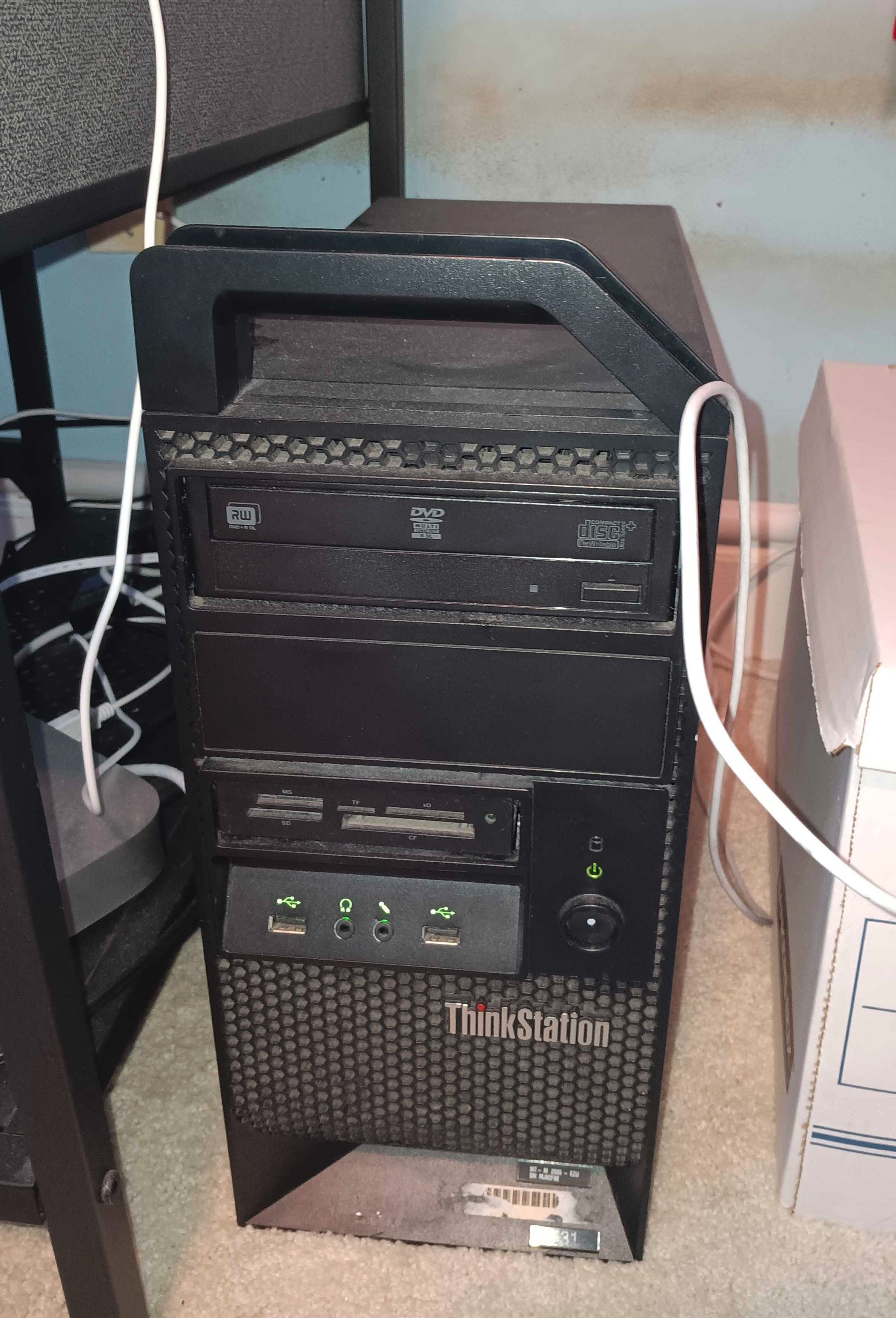
This computer literally came out of an ewaste bin. You can probably find something similar
for dirt cheap or even for free. Ask ewaste recyclers around you if they sell scrap (they often do).
The server is running Ubuntu Server. This means that it doesn't have a GUI and everything is
done through the command line. It basically never has a monitor or keyboard plugged into it
unless something got messed up and I can't SSH into it, and I usually just access its command line
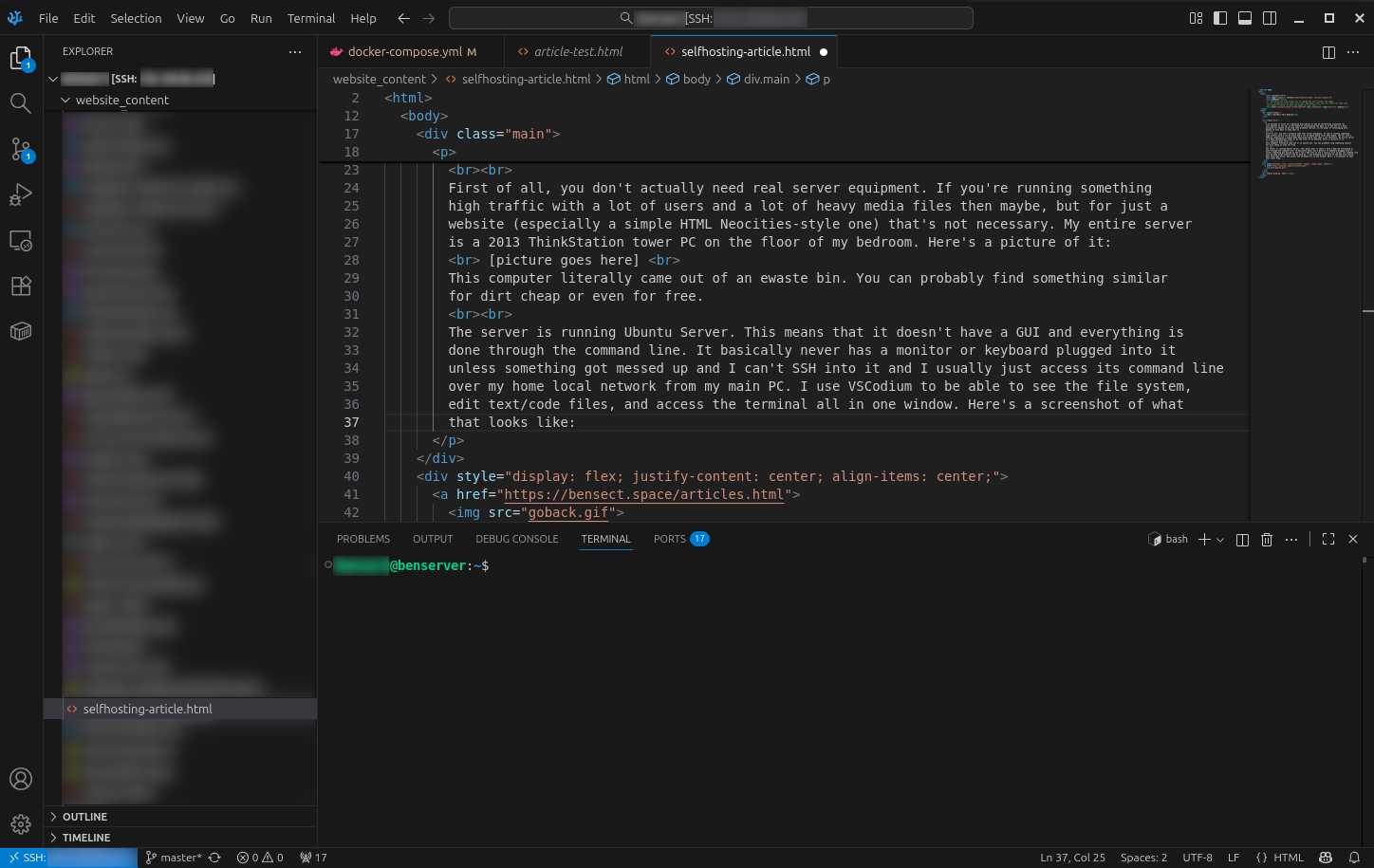
over my home local network from my main PC. I use VSCodium to be able to see the file system,
edit text/code files, and access the terminal all in one window. Here's a screenshot of what
that looks like:
The numerous services that are running on the server are run through a platform called Docker.
What Docker does is it creates self-contained environments called "containers" in which all the
component programs necessary to run something can be installed only into that container so that
it can't interfere with the dependencies of other programs in other containers. This makes sure
that everything that's running is running in a consistent environment with only the things that
it needs to run installed. This is very easy to do and a lot of self hosted applications will
provide users with a preconfigured Docker container version of their application.
Onto the actual web hosting part of it. I got my domain from Cloudflare, but there are other
domain registrars also. In the admin panel for my domain on their website, I have it pointed at
the public IP of my home router. I then have the HTTP and HTTPS ports open on my router. The server is running
NGINX Proxy Manager on those ports, and what the proxy manager does is it directs browser
requests to access subdomains of my domain to different applications running on different ports
internally. This adds a layer of security because this means that I only have the web browsing ports
open and anyone randomly scanning for open ports won't see the other services that I have running
other than the proxy manager. If you don't want to bother with Docker or any of this proxy manager
stuff, you can just run the web server software directly on your server and have it running on
the HTTP/HTTPS ports, but I find doing this easier for me since I run multiple services on the server.
On the server, the application running the website is a
Docker container version of NGINX.
In NPM, the main domain without a subdomain is directed to point to the port internally that
is being used by NGINX. This is very easy to use. Once you configure what folder the "start point"
of the website is in, you can just create new files in that folder and folders inside that folder
and they will be automatically seen by the application and added to what is served by the website.
This website was originally on Neocities, and when I decided to switch to self hosting, I just
exported the entire site and moved it to my server after NGINX was set up and basically had no
problems with it just working exactly like it did on Neocities. The only things I had to change were
some internal links to images and such because the folders didn't have the exact same names.
Please let me know if any part of this is unclear or confusing! The aim of this page is to be
a simple explanation of everything that I have set up so that people can feel like they can also
do the same thing I do.